
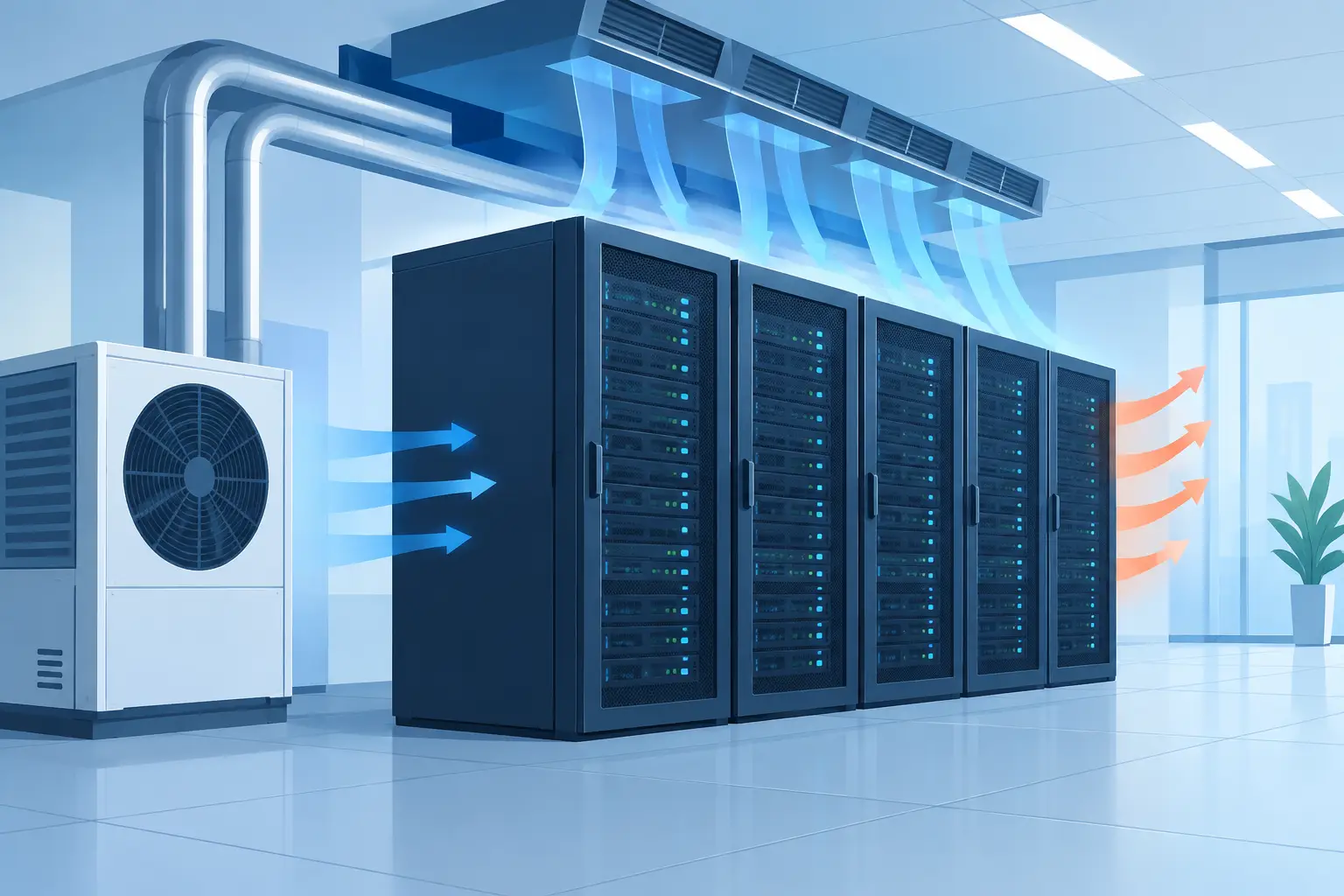
A server room can become a business interruption risk long before anyone notices that it feels warm. Servers, switches, storage devices, UPS units, and network equipment release heat continuously, often in a compact space with limited ventilation. Effective server room cooling is not simply about making the room comfortable. It is about keeping critical equipment within its recommended operating range, controlling airflow, and reducing the risk of costly downtime.
For a small office, medical practice, retail operation, or multi-site business, the right approach depends on the room’s heat load, operating hours, equipment layout, and the consequences of a cooling failure. A standard comfort cooling system may be suitable in some cases, but it must be selected and configured for the actual job rather than treated as an afterthought.
Why server rooms need dedicated cooling planning
People do not generate much heat in an unattended server room, but the equipment does. Unlike a meeting room or office, where cooling demand changes through the day, IT equipment can operate 24 hours a day. A room that seems adequately cooled during business hours may overheat overnight, over a weekend, or when the building’s central HVAC system changes to setback mode.
Heat can cause processors to throttle performance, shorten component life, trigger alarms, and eventually shut equipment down. Excess humidity, condensation risk, dust, and poor airflow can add further reliability concerns. The goal is not to make the room excessively cold. It is to maintain stable conditions that align with the equipment manufacturers’ recommendations.
The cost of a cooling issue can also extend beyond replacing hardware. Lost access to files, point-of-sale systems, phones, security systems, or cloud connections can disrupt staff and customers immediately. For businesses with little tolerance for downtime, cooling design should be part of continuity planning.
Start with the actual heat load, not room size
Sizing cooling equipment by floor area alone is one of the most common mistakes in server rooms. A small room packed with rack-mounted equipment can need more cooling than a much larger office. The correct starting point is the heat produced by the equipment, along with lighting, UPS systems, and any heat entering from adjacent spaces.
An HVAC professional should review the equipment inventory, electrical load information where available, room dimensions, insulation, window exposure, and ventilation paths. Future expansion matters too. A system that works today but has no spare capacity may become inadequate after a new server, additional network switch, or larger battery backup is installed.
Oversizing is not automatically the answer. Equipment that is substantially too large can cycle on and off too often, resulting in uneven temperatures and less effective moisture control. The better approach is a properly calculated load with enough capacity for realistic growth and the appropriate level of backup.
Consider how the room operates after hours
Many buildings use programmable thermostats or building controls that reduce cooling outside normal occupancy hours. That saves energy in offices, but it can be a problem when server equipment runs all night. Any server room cooling solution should be able to operate independently of schedules intended for occupied areas.
This may mean a dedicated split system, a separate zone within a ducted system, or a purpose-designed precision cooling solution for higher-load environments. The right choice depends on the application. A small network closet does not always need the same equipment as a data-intensive server room, but both need dependable operation when the building is empty.
Match the system to the level of risk
For many small and mid-sized businesses, a dedicated high-wall split system or commercial-grade split system is a practical option. It can provide independent temperature control, efficient operation, and a straightforward installation where outdoor unit placement and condensate drainage are available. Variable-speed inverter systems can also adjust output as the equipment load changes.
Ducted systems can work well when a server room is part of a larger commercial fit-out, particularly when zoning and controls are designed carefully. However, the room should not be left dependent on an office zone that may be turned off or overridden. Supply and return air paths must also be planned to prevent hot air from collecting around racks.
VRF or VRV systems may suit larger premises with multiple rooms, long refrigerant runs, or a need for individual zone control. These systems offer flexibility, but their controls, capacity allocation, and backup strategy need close attention when serving a critical room.
For environments with dense racks, high power demand, strict operating requirements, or major financial consequences from downtime, dedicated precision cooling may be justified. These systems are built for continuous sensible cooling and close environmental control. They cost more than comfort cooling equipment, so the decision should be based on equipment load and business risk rather than the room label alone.
Airflow matters as much as cooling capacity
A correctly sized air conditioner cannot solve every heat problem if the air is moving in the wrong direction. Servers generally draw cool air through the front and exhaust hot air from the rear. When racks are poorly positioned, hot exhaust air can loop back to the front of the equipment. This recirculation creates localized hot spots even when the room thermostat suggests conditions are acceptable.
Where possible, arrange racks so cool supply air reaches the equipment intake side and hot exhaust air has a clear path back to the return air point. Avoid blocking air paths with storage boxes, spare equipment, or furniture. Cable management also has a practical role: congested cables can restrict airflow through racks and make maintenance harder.
Temperature sensors should not be placed only beside the air conditioner. A reading near the supply air can look satisfactory while the top or rear of a rack is much warmer. Monitoring at equipment intake locations provides a more useful picture of actual operating conditions.
Plan for failure, maintenance, and alarms
Every cooling system can fail. Components wear, filters load with dust, condensate drains block, controls malfunction, and outdoor units can be affected by weather or electrical issues. For low-risk rooms, a well-maintained single system with remote temperature alerts may be appropriate. For more critical spaces, consider redundancy.
Redundancy is often described as N+1. In practical terms, this means the room has enough cooling capacity to meet its normal load, plus an additional unit or capacity path if one system fails. Two smaller units may be preferable to one large unit in some applications because either unit can provide partial support while service is arranged. This also allows units to alternate operation, reducing run hours on each system.
A sound maintenance plan should include cleaning filters, checking refrigerant performance, inspecting electrical connections, confirming condensate drainage, testing controls, and verifying temperature alarms. Server rooms tend to collect dust because fans move air constantly, so filtration and regular cleaning are especially important.
Pay attention to these warning signs:
- The room is noticeably warmer in the morning or after weekends.
- Equipment fans run loudly or temperature alerts occur during busy periods.
- The air conditioner runs continuously but room temperature still rises.
- Water appears around the indoor unit or drain line.
- The system short-cycles, makes unusual noises, or shows error codes.
Addressing these issues early is generally less disruptive than waiting for a full failure during a heat wave or peak trading period.
Energy efficiency without compromising uptime
Server room cooling uses energy year-round, so efficiency deserves attention. Inverter-driven equipment, appropriate capacity selection, clean filters, insulated refrigerant lines, and well-sealed room construction can all reduce unnecessary operating cost. Keeping the room at a stable, manufacturer-approved setpoint is usually more efficient than setting the thermostat excessively low.
Still, energy savings should never come from shutting down cooling when IT equipment remains active. The better strategy is to use controls that respond to actual room conditions and equipment demand. If the space has multiple cooling units, lead-lag controls can rotate duty and bring on the second unit when temperatures rise or one unit fails.
It is also worth reviewing heat sources that do not belong in the room. Printers, battery chargers, general storage, and other nonessential equipment can increase cooling load. Keeping the server room dedicated to IT equipment makes temperature control easier and improves access for service.
Questions to resolve before installation
Before approving a system, business owners should have clear answers about the calculated heat load, expected operating hours, backup approach, condensate drainage, electrical requirements, and how the system will be monitored. Ask whether the unit is intended to run continuously, how it behaves after a power outage, and what happens if the primary system stops working.
The installation quality is just as significant as the equipment choice. Refrigerant pipework, drain routing, electrical protection, outdoor unit location, and access for maintenance all affect long-term reliability. A transparent quote should explain the proposed scope and identify any assumptions, especially where equipment loads may change.
A server room does not need the most complex cooling system available. It needs a system designed for its real heat load, its operating schedule, and the level of disruption the business can afford. A professional assessment before temperatures become a problem gives you time to make a practical decision instead of responding to an emergency.