
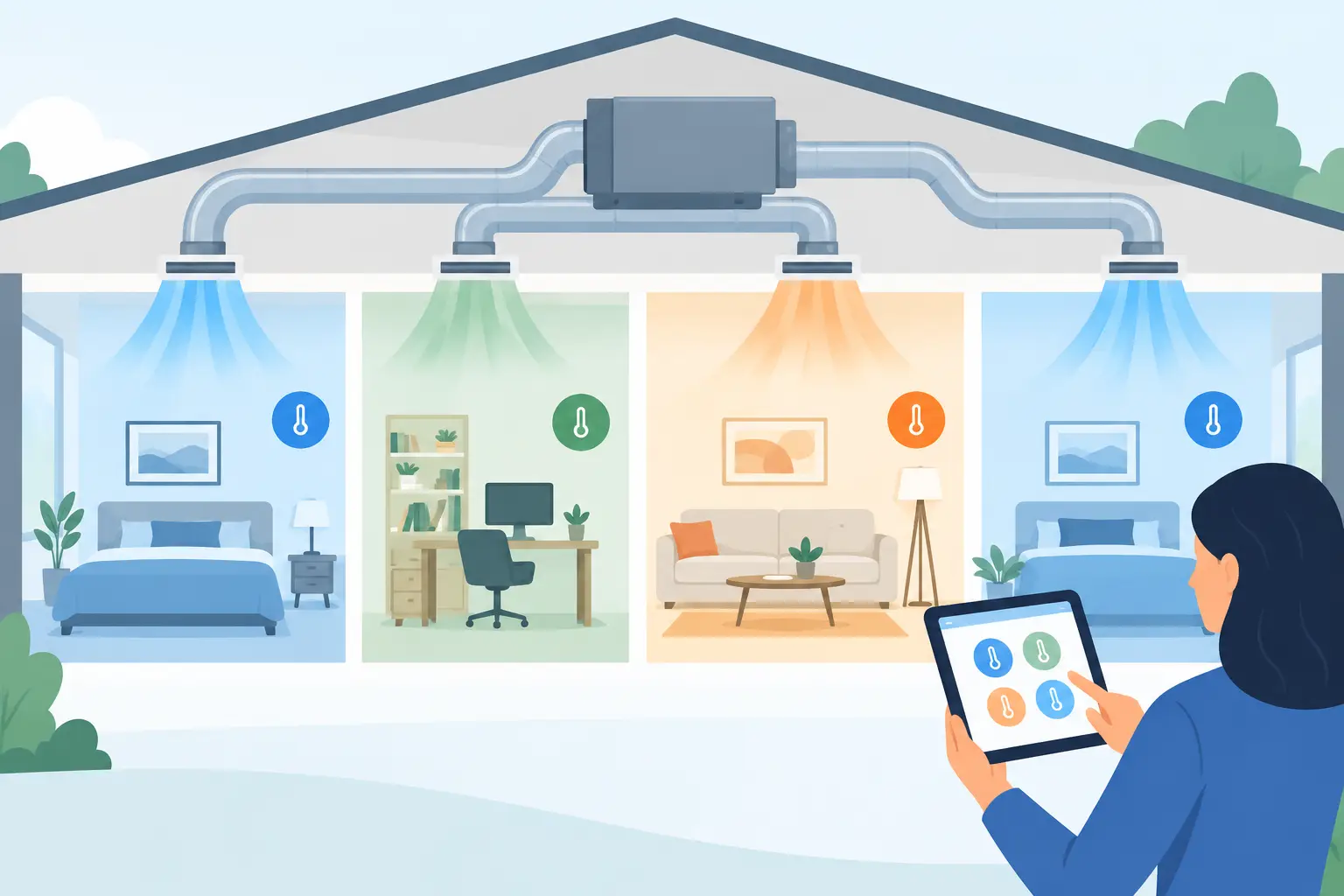
A ducted HVAC system can cool or heat an entire property, but it does not need to treat every room the same. Knowing how to program ducted zones lets you direct conditioned air where people actually are, whether that means bedrooms at night, a home office during the day, or customer areas during business hours. The result can be better comfort and less wasted runtime, provided the zoning system was designed and installed correctly.
Programming varies by thermostat, wall controller, and app. Some systems let you simply turn zones on or off and set a schedule. Others allow individual temperature targets, airflow settings, occupancy controls, and sensor-based adjustments. Start with the controller instructions for your specific equipment, then use the practical approach below to build a schedule that suits how your property is used.
Understand What Your Zones Control
A ducted zoning system uses motorized dampers inside the ductwork to regulate airflow to defined areas of a building. A typical home might have separate zones for living areas, bedrooms, the primary suite, and an upstairs level. A small office may separate workstations, meeting rooms, reception, and storage areas.
Your wall controller tells the system which zones should receive air. Depending on the setup, it may also manage the main system temperature, fan speed, and operating mode. The dampers do not create extra cooling or heating capacity. They redistribute the capacity your system already has, which is why realistic settings matter.
Before changing schedules, identify which rooms belong to each zone. Labels such as “Zone 1” and “Zone 2” are not especially useful when you are trying to make a quick adjustment. If your controller allows renaming, use clear names such as “Downstairs Living,” “Bedrooms,” or “Front Office.”
How to Program Ducted Zones Step by Step
The best program follows your daily routine rather than running every zone all day. Begin with a simple schedule, live with it for several days, and adjust one setting at a time.
Set the correct mode and main temperature
Choose cooling or heating mode first. Then set a reasonable temperature at the main controller. For most homes, 74-78°F for cooling and 68-72°F for heating is a practical starting range. In commercial settings, the ideal target may depend on building use, foot traffic, equipment heat, and lease requirements.
Avoid setting the thermostat dramatically lower or higher in the hope of reaching comfort faster. HVAC systems generally cool and heat at a fixed rate. An extreme setting can cause longer operation, excess energy use, and rooms that become uncomfortably cold or warm before someone changes the setting.
Match active zones to occupancy
Turn on the zones being used and turn off, or reduce, zones that are empty for extended periods. During a summer weekday, that might mean running a home office zone while keeping unused bedrooms off. In the evening, switch to living areas. At bedtime, run the bedroom zone and reduce the living zone.
For a business, program occupied areas to start conditioning shortly before staff or customers arrive. Reception, retail floors, and meeting rooms may need different schedules. Do not overlook server closets, kitchens, or sun-exposed rooms, which can have very different cooling loads from the rest of the building.
Create time periods, not constant overrides
Most programmable controllers use periods such as wake, away, return, and sleep. If yours does, set those periods around the times your household or team actually changes locations. A schedule with two or three well-planned periods is often more effective than a highly detailed schedule that no one maintains.
For example, a family could run living zones from 6:30 a.m. to 8:30 a.m., limit operation while the house is empty, restart living zones before people return, then shift to bedrooms before sleep. A household with someone working from home should create a separate daytime schedule for the office zone rather than cooling the entire house.
Use temperature setbacks carefully
A setback is a less aggressive temperature setting during unoccupied times. In cooling mode, you might allow the property to rise a few degrees while everyone is away. In heating mode, you may lower the target by a few degrees overnight or during the day.
The right setback depends on insulation, outdoor weather, building size, and equipment capacity. A large setback is not always the most economical choice, especially in a poorly insulated building or during severe weather. The system may need to work hard for a long time to recover. Start with a 2-4°F adjustment and review comfort and runtime.
Keep Enough Airflow Moving Through the System
One of the most common zoning mistakes is closing too many zones at once. Your indoor unit and ductwork are designed to move a minimum volume of air. If only a very small zone is open, static pressure can rise, airflow can become noisy, and the system may operate inefficiently or trigger protective controls.
Some professionally designed systems include a bypass damper, variable-speed equipment, or controls that automatically keep a minimum number of zones open. Others rely on the user to avoid running a single small room by itself. Your installer should explain the safe operating arrangement for your system.
As a general rule, avoid routinely operating only the smallest zone unless the system was specifically designed for it. If a bedroom zone is too small to run alone, pair it with a nearby hallway, bathroom, or secondary bedroom zone. This is a design consideration, not merely a programming preference.
Use Sensors and Fan Settings Wisely
If your controller supports remote sensors, place them in rooms where comfort matters most, away from direct sun, supply vents, exterior doors, kitchens, and electronics. A poorly located sensor can make the whole system respond to an inaccurate reading.
Fan settings also affect comfort. “Auto” is usually the most energy-conscious choice because the fan runs only when heating or cooling is needed. Continuous fan operation can help even out temperatures in some larger homes, but it uses more electricity and may bring more air movement than occupants want. Try auto first, then consider scheduled fan circulation if certain rooms regularly feel stuffy.
Common Programming Problems and What They Mean
If one zone is consistently too hot or too cold, do not assume the schedule is the problem. Programming can manage when air is sent to an area, but it cannot correct undersized ducts, leaking ductwork, a stuck damper, blocked return air, poor insulation, or an HVAC unit with insufficient capacity.
Short cycling, frequent error messages, loud rushing air, whistling vents, or a zone that never responds are reasons to stop adjusting settings and arrange a service inspection. The same applies if your energy bills rise sharply after zoning changes. A qualified technician can test damper operation, static pressure, thermostat communication, refrigerant performance, and airflow balance.
For newer systems, a controller reset or app update may resolve a communication issue. However, do not reset equipment repeatedly if faults return. Error codes can point to a wiring, control board, sensor, or mechanical problem that needs a proper diagnosis.
A Practical Starting Schedule
For many households, the most efficient program is not the most complicated one. Run occupied living areas in the morning and evening, maintain a modest setback while the property is empty, and shift to bedrooms before bedtime. Keep commonly used areas within a comfortable range, rather than switching every zone fully off and expecting immediate recovery.
Small businesses can use the same principle: condition customer-facing and staff areas before opening, reduce settings after closing, and use temporary overrides for meetings, events, or unusual trading hours. Review the schedule when seasons change, daylight hours shift, or occupancy patterns change.
A zoning system should make a property feel easier to live or work in, not harder to manage. If your controller is confusing, rooms are uneven, or you are unsure how many zones can run together, professional setup and airflow balancing can turn a good ducted system into one that performs as intended.